Infolinks

Thursday, 29 May 2014

Top 10 Women Entrepreneurs of India in 2014

Top 10 Women Entrepreneurs of India in 2014

Women Entrepreneurs of India in 2014
"The whole point of being alive is to evolve into the complete person you were intended to be”, and really, there is a long list of women who have met their dreams by working really hard, leaving all men behind. Women’s day has just passed upon us and the day was motivating enough to appreciate some of the courageous women for their entrepreneur skills. Women are nowhere behind men whether it be in the field of business or technology and India itself is a good example where women are giving a good competition to all the capable men around with their business skills.

Here are 10 women entrepreneurs of India in 2014, have a look!

1) Indra Nooyi

Current position:  CFO, Pepsico
Age: 56 Years Old

Indra Nooyi Indian Woman Entrepreneur
The current chairman and CFO of the second largest food and beverage business, PepsiCo., Indra Nooyi was Born in Chennai. Indra did her Bachelor’s in Science from Madras Christian College in 1974 and a Post Graduate Diploma in Management (MBA) from Indian Institute of Management, Calcutta in 1976. 

  
She started her career as a product manager at Johnson & Johnson and textile firm Mettur Beardsell. Indra worked really hard and soon joined PepsiCo in 1994 after which she was named president and CFO in 2001.

2) Naina Lal Kidwai

Current position:  Group General Manager & Country Head – HSBC, India
Age: 55 Years Old
Naina Lal Kidwai Indian Woman Entrepreneur
Starting her career with ANZ Grindlays, she is presently, serving as a non-executive director on the board of Nestle SA. Kidwai is also global advisor at Harvard Business School. She did her Bachelor's in Economics from Delhi University and an MBA from Harvard Business School. It is interesting to find that she was the first Indian woman to graduate from Harvard Business School.

3) Kiran Mazumdar Shaw


Current position: CMD, Biocon 

Age: 59 Years Old

Kiran Mazumdar Shaw Indian Woman Entrepreneur
Born in Bangalore, Shaw completed her Bachelors in Zoology from Mount Carmel College, Bangalore University and later did her post-graduation in Malting and Brewing from Ballarat College, Melbourne University. Kiran is the founder Chairman and Managing Director (CMD) of Biocon Limited. Today Biocon under Shaw’s leadership has established itself as a leading player in biomedicine research with a focus on diabetes and oncology.
Starting her career initially, she worked as a trainee brewer in Carlton and United Breweries, Melbourne and as a trainee maltster at Barrett Brothers and Burston, Australia.

4) Chanda Kochar

Current position: MD & CEO – ICICI Bank
Age: 51 years old

Chanda Kocchar Indian Woman Entrepreneur
Born in Rajasthan, Chanda did her Masters in Management Studies from Jamnalal Bajaj Institute of Management Studies, Mumbai. She has been praised for her excellent business skills, and interestingly, she is married to Deepak Kochhar, a wind energy entrepreneur and her Business schoolmate.

5) Indu Jain

Position: Chairperson (former), Times Group
Age: 76 years old

Indu Jain Indian Woman Entrepreneur
Jain used to be the chairperson of India’s largest and most powerful media house – The Times Group and has been known as a strong votary of women’s rights and women entrepreneurship, Indu contributed immensely to the growth of Times group. Now, her two sons Samir and Vineet are running the company.

Her capabilities are not just limited to the Times Group but Indu Jain is also a founder President of the Ladies wing of FICCI (FLO).
What many of you might not know about this powerful lady is the fact that she addressed the United Nations in 2000 at the Millennium World Peace Summit of Religious and Spiritual Leaders, a speech in which she stressed the need for oneness among faiths and went on to chair a special session of the conference.

6)  Simone Tata

Current position: Chairperson (Former), Lakme Chairperson (Present),Trent Limited
Simone Tata Indian Woman Entrepreneur
Receiving her education in Switzerland, Simone is a French by birth. She is the wife of Naval Homey Jahangir Tata and step mother to Ratan Tata. She is better known as ‘Cosmetic Czarina of India’. It would not be wrong to say that it was actually Simone who changed a small subsidiary of Tata Oil Mills into the largest cosmetic brand in India (Lakme).

7. Neelam Dhawan

Current position:  MD, HP-India

Neelam Dhawan Indian Woman Entrepreneur
Here comes the managing director of HP, India. She is one of the popular Indian ladies who are doing pretty well while being affiliated with the IT industry. At the start of her career she yearned to be a part of major players in the FMCG space such as Asian Paints and Hindustan Lever. Before joining HP, India as Managing Director (MD), Neelam was Managing Director (MD) of Microsoft, India.

8. Priya Paul

Current position: Chairperson, Apeejay Park Hotels

Priya Paul Indian Woman Entrepreneur
Starting her career at the age of 22, she joined her family business as a marketing manager at the Park Hotel, Delhi. After the death of Surrendra Paul, she succeeded him in 1990 as the Chairperson of the Hospitality Division of the Apeejay Surendra Group.

9)Ekta Kapoor

Current position: JMD & Creative Director, Balaji Telefilms

Ekta Kapoor Indian Woman Entrepreneur
She is one of the leading icons in the field of Indian entertainment who has been able to earn much of the fame and respect for her direction and production skills. With some memorable drama serials on her credit, she has been doing a wonderful job by producing great Bollywood movies too. Ekta has created a niche for herself in TV serial and film production. She can easily be termed as the most successful female producer of entertainment world.

10) Shahnaz Hussain

Current position: CEO, Shahnaz Herbals Inc.

Shahnaz Husain Indian woman entrepreneur
Indian cosmetics are known worldwide and when it comes to the herbal treatments, Shahnaz Hussain is the biggest name in herbal cosmetics industry in India. Currently, the Shahnaz Husain Group has over 400 franchise clinics across the world covering over 138 countries.

So you see that women all over the world are doing a wonderful job and it seems like a myth where people used to consider women as weak and dependent souls.
Share your views about it,
Wishes,

How Can You Build A Career in Professional Gaming?

How Can You Build A Career in Professional Gaming?

How To Make a Career in Professional Gaming?
If you play games a lot, especially multiplayer ones, you probably know something about gaming tournaments around the world, like the DOTA 2 championship in Seattle last year where a Swedish team took home nearly $1.4 Million in reward money, along with some goodies. Gamers are now recognized as pro-athletes in the U.S, and people as young as 13 years of age are competing. Why? Simply because there's a whole career to be made in professional, or eSports gaming, and some people have done just that!

Parents are often skeptical regarding any talks of playing games, but the classical taunt "Playing games is a waste of time and money" can now be turned around with the example of various world-renowned and highly-paid professional gamers such as Jonathan 'Fatal1ty' Wendel, Lee 'Flash' Young, and so on. Besides making money, recognized pro-gamers can also get a US P-1 visa, usually reserved for sports players. These visa holders can stay and earn a salary while ‘playing’ in the US.

It all is, however, easier said than done. It takes hundreds of man-hours of practice, skill, determination and teamwork to be successful. Here are the top 10 tips to start off your career as a pro-gamer.

1. Practice Against Bots

Yes, I know, AI is stupid, and won't let you get a competitive feel. But before you go bursting out in the open, know the strengths and weaknesses of the game, and of yourself. Many games like Counter Strike will let you play against bots. So assemble a team of your bots, and compete against the enemy to discover the ins and outs of the game. Generally, you can use bots to asses your own performance, and adopt your gaming style according to what feels most comfortable.
Practice a lot!

2. Practice teamwork

Playing with people is as important as playing against them. You cannot be a successful gamer if you're not good at teamwork - get that through your head! Most online games require teams to play against each other, and almost all tournaments feature matches between teams.
Playing in teams lets you learn by observing others and getting tips from them. What you can learn in a team, you can never learn by yourself. Playing in teams also makes you learn teamwork strategies that are invaluable for any gamer, and are the distinguishing characteristic of a pro-gamer versus a casual gamer.
Gaming sometimes can get intense and argumentative. This helps you judge the playing styles and abilities of each member in your team. So assemble a team of friends, and practice with each other. It also helps develop a particular gaming style. For example, when I play first-person shooter games, I usually prefer long-range assault. But when playing in a team, I rush head-on with an SMG, with some assault guy covering my back. Similarly, I am fairly aggressive in solo real-time strategy, but I mostly play defense when in a team. Developing strategies like these is crucial to victory in any competitive match.

3. Understand The Jargon

Not necessarily the first thing to do but it is one of the more important ones, know that there is a lot of jargon involved in multiplayer games, and it’s not just limited to Internet speak. Game jargon varies, according to the games you play.

For example in MOBA (Multiplayer Online Battle Arena) games like DOTA 2, League of Legends or Heroes of Newerth, there are terms like stun, hex/voodoo, disable, lane, neutrals/jungle or ancients.

First person shooter (FPS) players also give unique names to spots or areas on the map. This allows your teammates to know the whereabouts of enemy players. Competitive gaming rely a lot on strategy and fast and effective communication with your team mates.

4. Watch Professionals Play

You can only get as good as your imagination can let you, so sometimes you need inspiration from the ones who have been there, done that. Watching professionals play lets you learn how the pros do it, how their complex teamwork and strategies work, watch their key twitch and split decision-making in action, tricks, ploys and more lessons that will help make or your break your gameplay.

The good news is, many pro-gamers allow the world to watch how they play live, made possible with live streaming. The number one site to watch these pros in action is on Twitch.tv. However, YouTube is also a good place to learn a game, even more in-depth.

Other times, instead of watching someone play, you can opt for tutorials and guides where YouTubers explain what’s going on. You can also find walkthroughs of single player games on YouTube if you’re stuck at a level.

5. Jack of all is an ace of none

Each player in a team must have a specialized skill. All rounder players don't usually perform well in competitive gaming. And really good all rounders are hard to find. It's frankly easier to specialize in one type of character, weaponry, class etc. If you're a good sniper, stick to sniping and be the best damn sniper there every was, even if you suck at assaulting. I am a good sniper, but it never was my thing. I specialize in rushing (in FPS) or rush-raiding (in RTS - surprise, I've found, is the perfect murder weapon :D)

6. Get Some Gaming Gear

Some people debate endlessly on why you shouldn't waste money on gaming gear. They argue that using special gear makes you dependent on it, and you cannot perform without it. While that might be true for casual gaming, it is the wrong attitude for professional gaming. Gaming gear is built for durability, responsiveness and accuracy, which is why I argue that it makes you independent of hardware factors, and lets you concentrate on your game.
Gaming geaar
For example, a normal desktop mouse has a response time of 8-16 milliseconds. But gaming mice, like the one I am currently using, respond within 1 millisecond. Similarly, hi-tech 7.1 surround gaming headsets will provide you much powerful hearing capabilities than normal ones. Hardware plays a significant role in cutting down errors while in the heat of battle, and if you're into hard-core gaming, you might find it worth your while to invest in products from renowned companies such as Logitech, Razer, SteelSeries etc.

7. Search For Tips, Tricks And Guides

Watching people play means you can closely watch their movements, but this doesn’t give you information about the many other things going on inside their head. Part of understanding the mechanics of the game is to read about it, study it in-depth.

The internet is a great source to find out more in-depth things of just about any game. We’re talking about knowledge on the characters, their skills, their moves with weapons, their armory, the playing field and more. No one said it was going to be easy, but the hard work may be well worth it to win games. Once you learn what each character is capable of doing, you won’t get caught off guard so easily.

8. Avoid hacks

No one turns pro overnight, even professional gamers have to practice and train for hours a day – check out their live stream to get a feel of what gaming a whole day feels like. Consistent gameplay and charting your progression in terms of team performance may actually help build towards a gaming career.

Take every win and loss as a challenge to better your gameplay but it’s important to enjoy the game for what it is. If you ever find yourself needing to turn to hacks, don’t. While you may be thinking about using hacks to advance in the game, it isn’t actually a good step, mostly because you’re "not playing" the game anymore.

Pro-gamers are gamers who fully understand the game and exploit its mechanics (without hacks) to their advantage. It’s also the reason why many other fellow gamers respect their determination to climb their way to the top, hack free. Stay away from hacks and play it the right way.

9. Customize Settings For Performance

This is an extension from #6. Games can be very graphically demanding and might require you to have a high-performance computer in order to enjoy its an immersive gameplay. However, it’s ok if you don’t have a beefy computer. All you have to do is lower the graphic settings to ensure you have smoother gameplay during intense clashes.

Don’t worry of what others might think of the ugly graphics, pro-gamers do it all the time. They need fewer "beautiful" features because they’re not there for that. To them, the correct actions are what matters. Taking the load off the machines means less distractions anyways, and better performance.

10. Be Nice To Everyone

As competitive as it can get in the gaming arena, everyone’s there to play. Even if it is there to win, everyone is still looking for a good game. Don’t ruin the mood with senseless verbal brutality, particularly if you are new to the game.

Being nice to strangers can get you far, find you a fellow player to brave the tough training sessions ahead and some of them can teach you a thing or two about how to master the game faster and better. Don’t have friends to take into a game? Make some from it.

If you’re playing on a local server, you might have the chance to make new (real life) friends too, because not all people on the Internet are bad and shady – just tread with care when it comes to sharing personal information online. May the best player win!

Display Post Views Count in Blogger - New!

Display Post Views Count in Blogger - New!

blogger postviews pluginYes you heard it right, all BlogSpot blogs will now be able to display a dynamic count for individual pageviews. We can now easily create this  post view counter without worrying about servers or server code. With a free service like Firebase you can now create dynamic and data-driven plugins for blogger without worrying about backend development. Firebase was launched in April 2012 and since then it had been the hub for developers. Amazingly this free plan gives you 10GB Free bandwidth and 5GB Free storage. Which in our case is more than required! We had been lucky to utilize this free service for blogger platform and create some amazing scripts with the help of our developer Ahmed Nasir. Today's tutorial will help you to install a dynamic script that will automatically increment its initial count value when a visitor views your blog posts. The counter data will be stored on a free database provided by Firebase. Lets first see a demo!

Note: The postviews count wont change when you refresh the blog homepage but it will change only when you visit individual posts.

1. Create your Firebase Account

In order to gain access to a free database and be able to keep a backup of your postviews counter data, you must sign up for a free account at Firebase.
Fill up the easy steps sensibly and then once your account has been activated, you must create your first Firebase database.

2. Create a Firebase Database

You can create 2 firebases. At present just create one, we will guide you later in coming posts about amazing things you can play with this free service.
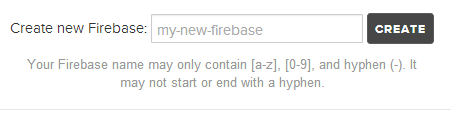
  1. Towards the bottom right side of your account, you will find the following submit box.
creating a firebase
  2.   Inside this box input your website name. In my case I inserted mybloggertricks and this generated the following firebase URL: https://mybloggertricks.firebaseio.com
  3.   Finally hit the create button and note down your firebase URL because we would need it later in this tutorial.

3. Installing Postviews Plugin

  1. Go To Blogger > Template
  2. Backup your template
  3. Click Edit HTML
  4. Tick the box "Expand widget Templates"
  5. Search for ]]></b:skin>
  6. Just above it paste the following CSS code:
/*-------- Post Views  ----------*/
#views-container {
width: 85px;
float: right;
}
.mbtloading {
background: url('https://blogger.googleusercontent.com/img/b/R29vZ2xl/AVvXsEjoyShz8PkEuxgUcUc47IIbwRR9n-vUJttjbt0k-ZrX2iFzX4Y5xxqIOU-Atq23ffEv86otMSvI3xYwZkEDA4Aq13TKFyRIKQJ0eaJd1NV5_Dl8HWDWsDp9BJL63aEAqc1Q_ealzSZNjYZD/s320/mbtloading.gif') no-repeat left center;
width: 16px;
height: 16px;
}
.viewscount {
float: right;
color: #EE5D06;
font: bold italic 14px arial;
}
.views-text {
float: left;
font: bold 12px arial;
color: #333;
}
.views-icon{
background: url('https://blogger.googleusercontent.com/img/b/R29vZ2xl/AVvXsEjDF-oR3hrct9wnvgzgaxSxPKi2tY59HGBf9m1XvUmj9xqdtKiw_9NBfbBDlLZ774pNbjVuG8PRE0a9vdAuAAH6aMnRmeAE5qHmvS2-7kKbQ9_rw0KfEie1IDQs4wvETqzZWfd54UKGMyJ7/s1600/postviews.png') no-repeat left;
border: 0px;
display: block;
width: 16px;
height: 16px;
float: left;
padding: 0px 2px;
}
    Customizations:
  • To change the text color of the numeric count, edit #EE5D06
  • To change the plugin alignment, change right to left.
   7.  Next search for </body>  and just above it paste the following JavaScript code:
<!-- Post Views Script by MBT -->
<script type='text/javascript'>
    window.setTimeout(function() {
        document.body.className = document.body.className.replace(&#39;loading&#39;, &#39;&#39;);
      }, 10);
  </script>
<script src='https://cdn.firebase.com/v0/firebase.js' type='text/javascript'/>
<script>
$.each($(&#39;a[name]&#39;), function(i, e) {
var elem = $(e).parent().find(&#39;#postviews&#39;).addClass(&#39;mbtloading&#39;);
var blogStats = new Firebase(&quot;https://mybloggertricks.firebaseio.com/pages/id/&quot; + $(e).attr(&#39;name&#39;));
blogStats.once(&#39;value&#39;, function(snapshot) {
var data = snapshot.val();
var isnew = false;
if(data == null) {
data= {};
data.value = 0;
data.url = window.location.href;
data.id = $(e).attr(&#39;name&#39;);
isnew = true;
}
elem.removeClass(&#39;mbtloading&#39;).text(data.value);
data.value++;
if(window.location.pathname!=&#39;/&#39;)
{
if(isnew)
blogStats.set(data);
else
blogStats.child(&#39;value&#39;).set(data.value);
}
});
});
</script>
Make this change:
  • Replace the highlighted brown line with your firebase URL (Step#2). Make sure you replace it correctly by taking care of forward slash (/)
    8.  Now one last step. Find this code:
   <data:post.body/>
Note: If you are finding multi occurrences of the same code then choose the first occurrence.   
   9. Just above it paste the following HTML,
<!-- Post Views Counter by MBT-->
<div id='views-container'><span class='views-icon'/><div class='views-text'>Views:</div> <div class='mbtloading viewscount' id='postviews'/></div>
You can replace views: with any text you like.

    10.  Now the final step, paste the following jquery link just below <head>
<script src='http://ajax.googleapis.com/ajax/libs/jquery/1/jquery.min.js' type='text/javascript'></script>

    11.  Hit save and you are all done!
Visit your blog and press F5 (refresh page) to see the counts dancing just perfectly! :)

Copyrights

Developers and niche bloggers are most welcome to share this  Plugin with their readers and friends. Please attribute the credits back to MBT blog as the only favor in return. It takes hours of efforts to write and debug these scripts. This plugin comes under a Creative Commons Attribution-NonCommercial-NoDerivs 3.0 Unported License.

Need help?

We just hope this plugin adds new fuel to your blogger powered blogs. We tried best to keep it working as efficient as possible. You wont run out of bandwidth as long as you create your own Firebase accounts and not use ours (our firebase url). 
This plugin will display views only once pages are visited. It is not synchronized with your Google analytics stats data, therefore it will only display correct views for the new posts that you publish.
Let me know if you needed any help. We have some more interesting scripts coming up this week. Stay tuned! Peace and blessings buddies :)
Don't forget to try:

Installing Zemanta on Blogger - A New Way to create Blog Posts!

Installing Zemanta on Blogger - A New Way to create Blog Posts!

Zemanta

Creating quality content is a major concern for bloggers. It is one thing to establish a good-looking and well-optimized website which is SEO friendly, and quite another to update it with fresh, regular content which is of high quality. No matter how well a site is optimized for search engines, content still remains the king, and Google regards content more highly, since it is oriented towards the users more. Creating quality content, and adding value to it isn't an easy job. But don't worry! People who use Google Blogger now have access to an amazing tool, Zemanta, which will help them create quality content, and spice it up with images, links, and more!

UPDATE: If you are not well versed with SEO then we don't recommend that you may use this tool. Please read the following tutorial to know why:

What makes a great blog post?

When people ask me how they can create 'quality blog posts', I usually tell them to first overview their own posts from an outsider's perspective. Forget the person who wrote the post, and become the person who'd love to find anything wrong with the post so that he could fire the guy who wrote it. This kind of self-criticism often proves to be constructive, and makes you see your posts in a better light.
Now the writing part of the blog post itself cannot be imposed on anyone, because not everybody has the knack for writing proficiently, not at the start anyway. So instead, we advise people to focus on the visuals. When you take a glance at a blog post, you generally analyze the structure of the content. One of the most important thing to consider here is visual aids. Adding images can be the key to any post's success, since they add colors and graphics which attract readers.
Besides images, there are a few more things that matter within a blog post, such as authority links, further resources, and so on. In other words, working on building trust. Well, as it turns out, this sort of work is right up Zemanta's alley.

Zemanta?

Zemanta is a free editorial service that will help you build upon your blog post, and add more value to it by helping with images, tags, links, and more. It has just been integrated with Blogger, so Blogger users can easily use this to improve the quality of their blog posts!
Zemanta can help you with;
  • Images - This is a real time-saver! While you are writing your post, you can see image suggestions appear right on your sidebar. You can choose them at any post, and insert them into your post with a single click! Additionally, you can quickly insert your Instagram and Flickr photos too.
Images
  • Tags - With Zemanta, you can easily tag your posts with Labels. Zemanta will make the process much easier, and bring your site closer to search engines as well.
  • In-text links - This is another perk I was really looking forward to. Zemanta will automatically (or to quote Zemanta, "automagically") link keywords to relevant sources. This will hopefully help readers who aren't clear about a term, and want to find out more about it.
  • Related Articles - Here's another potential gold mine. You can use this tool to link to your old articles, as well as to link to articles from the blogosphere. This way, you will relate to posts from other bloggers, and other bloggers will relate to posts from you. Hence, an effective linking scheme that could benefit both parties.

How to get Zemanta?

Zemanta is pretty easy to install. And since it's free, there's no hassle about it. Best of all, it is available for most popular browsers, since it is a browser extension. You can get this plugin from its host website. Simply click on the browser icon that you use, and follow the on-screen instructions.
For example, to install to Chrome, simply follow this download link. Click on the Add to Chrome button at the top, and this extension will be installed in seconds! Similarly, for FireFox, all you need to do is go to the download site, and click on Continue to download. The extension will then take no time to download and install!
Pretty cool, huh? This plugin could really save time, and help with productivity. What do you guys think? Leave your interesting responses below. Peace :)

Add AdSense right After <!--More--> Tag

Add AdSense right After <!--More--> Tag

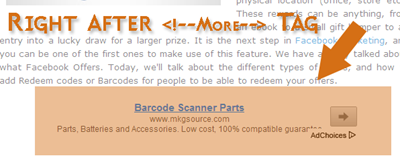
Adsense positioning in bloggerThis is a great tutorial which will multiply your current click through rate and add a new boom to your over all Adsense earning. With a big repository of plugins for Wordpress blogs like Quick Adsense, WP users never need to worry while adding Adsense to any part of the blog they wish but in blogger we lack plugins that could do the job automatically. Therefore this week my main focus lies in developing more of such plugins that could provide you great front end experience. Thanks our developer Ahmed Nasir the script developed this time will automatically insert your AdSense Ad right after the opening paragraph (Post summary) or the read more button(Jump Break). The read more link is distinguished by the HTML tag "<!--more-->" , we will use a simple Jquery code to tell the browser to append an Ad zone with a unique div ID, right before the more tag. In  browsers where JavaScript is disabled the Ad zone will instead display at the end of post. You can see the demo on our blog, right after reading this line...
(You will see below a 468X60 Adsense for content Ad).
Update: I have disabled the Ad display for browsers where JavaScript is disabled. 

Installing the Script on Blogger

  1. Go to Blogger > Templates
  2. Backup your template
  3. Tick the "Expand Widget Templates" box
  4. Search for <head>
  5. Just below it paste the following JQuery code only if you are not yet using jQuery script on your blog
<script src='http://ajax.googleapis.com/ajax/libs/jquery/1/jquery.min.js' type='text/javascript'/>
     6.   Next paste the following code below <head>
<script type='text/javascript'>
$(document).ready(function(){

$(&#39;a[name=&quot;more&quot;]&#39;).before($(&#39;#MBT-google-ad&#39;).html());
$(&#39;#MBT-google-ad&#39;).html(&#39;&#39;);

});
</script>
Optional: If you want to display the ad at two places i.e. below read more tag and also at the end of post then delete the highlighted yellow code. Also delete the yellow highlighted code from step#8 given  below
    7.  Now search the following code:
<data:post.body/>
      8.  Just below it paste the following code:
<b:if cond='data:blog.pageType == &quot;item&quot;'>
<div style="display:none;">
<div id='MBT-google-ad'>
<br/>
<center>
ADD ENCODED ADSENSE CODE HERE </center>
<br/>
</div>
</div>  </b:if>
Replace the bolded text above with your Adsense code. Remember that the code that you copy from your Google Adsense Account must be first encoded inorder to work with blogger templates. Simply copy the code and then encode it using the following MBT tool.
  • Encode your AdSense code using: MBT HTML Encoder
Copy the encoded code from MBT HTML encoder and then paste it on the bolded text that says: ADD ENCODED ADSENSE CODE HERE
      9. Save your template and you are all done!
Visit your blog and then visit any post page, you will see an Ad hanging just perfectly right after the first opening Summary paragraph. :)

Need Help?

I am always open to curious and delicious questions so never hesitate asking for help. If your blog has no Read more functionality or you don't know how to add a a jump break then you can try these interesting tutorials:
  • Add a read more link to blogger
  • Remove blogger Jump Break
  • 10 Ways to Create Read More buttons
If you wish to add Adsense just below post title or somewhere else then read:

Chitika